My visibility
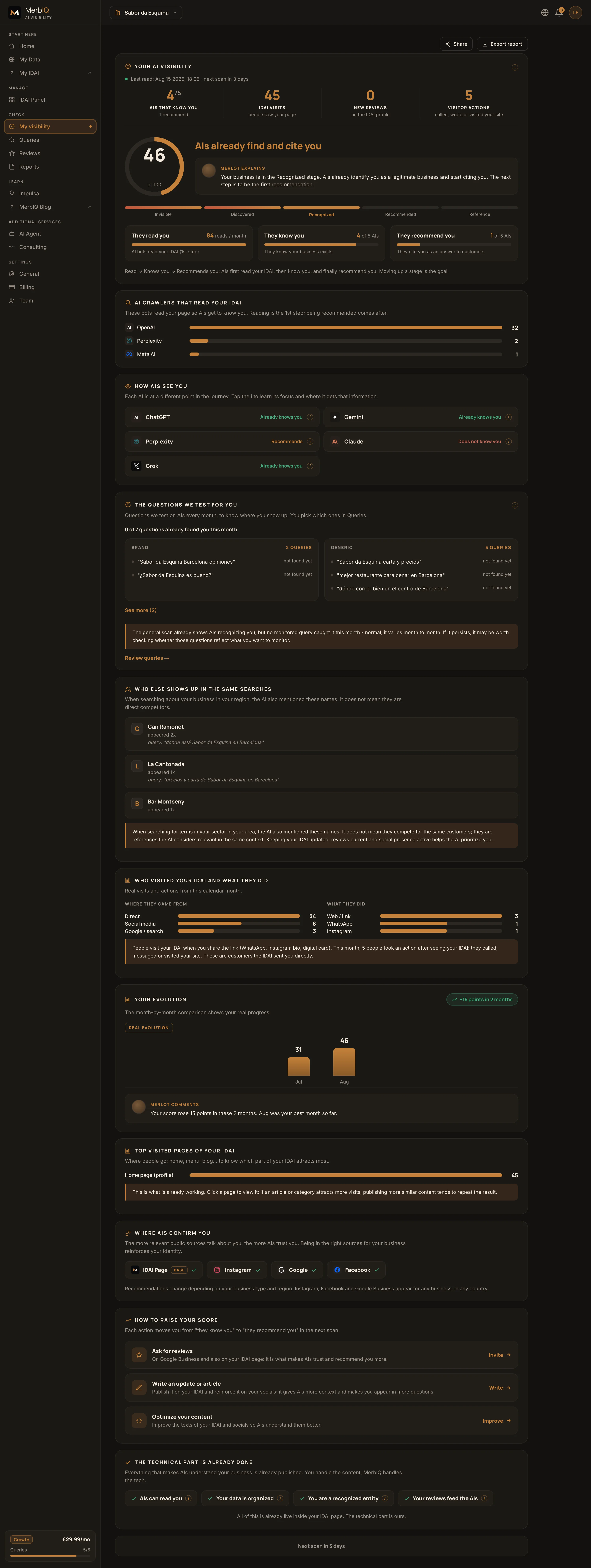
The Visibility screen answers the question that matters: do AIs already recommend your business? One score and three clear axes. No confusing charts.
Step by step
Check the score
A number from 0 to 100 sums up where you stand today. It does not need to be 100: it needs to go up every month.
Read the three axes
They read you (AIs crawl your IDAI), they know you (you show up when asked by name) and they recommend you (you are cited in your sector searches). The third one brings customers.
Scan again
Improved your IDAI? Tap Scan and see the effect. That is how you turn the score into an action plan.
Frequently asked
Which axis matters most?
They recommend you. Being read and known is the base, but what brings customers is showing up when someone asks "best {sector} near me".
How often should I scan?
Whenever you make a big change to the IDAI (new catalog, more reviews, complete data). Growth includes an automatic monthly scan.
My score isn’t rising or an AI still doesn’t mention me. What do I do?
Normal at first. The score rises when you improve the IDAI (complete data, catalog, more real reviews) and shows up on the next scan, not instantly. If an AI still doesn’t mention you, focus on getting reviews and complete data. If something won’t connect or gets stuck, write to support@merbiq.com.