Reputation is not just stars: it is real proof that people are cared for. Connect your Google reviews to the IDAI and your real rating (and count) reinforces your authority with AIs. Then reply in seconds.
Step by step
Connect your Google
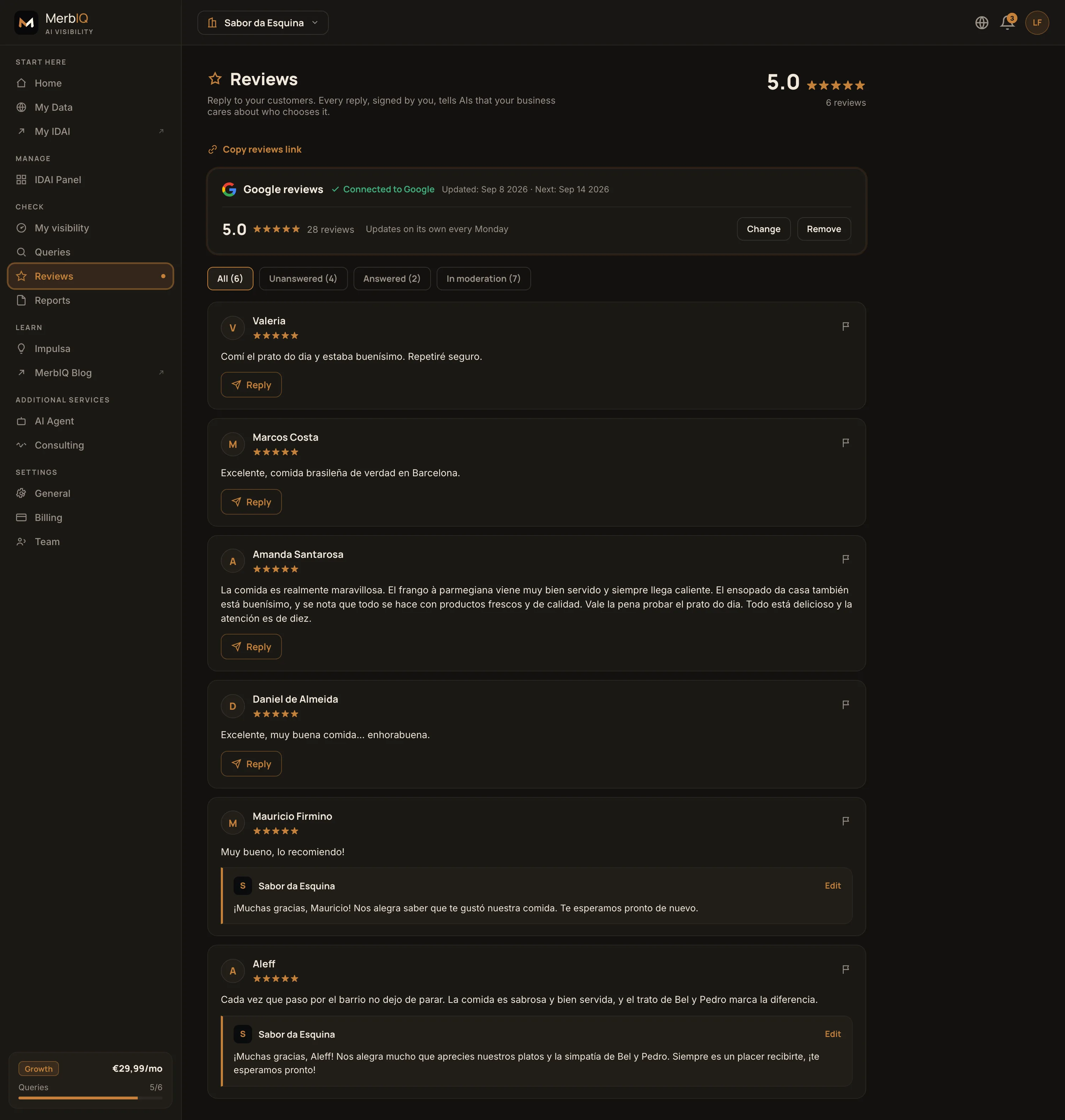
Tap Connect and your real Google reviews (your rating and count) flow into your IDAI. It updates on its own every Monday. The more real proof, the more authority for AIs to recommend you.
Reply (or use AI)
Thank them, be short and human. On Growth, tap Reply with AI: it drafts a reply in your tone and you just adjust it.
Handle negatives calmly
No arguing. Acknowledge, offer a solution and invite them to sort it out in private. A good reply convinces whoever reads it next.
Frequently asked
Why connect Google to the IDAI?
Because it brings your real reviews (rating and count) inside the IDAI, the page AIs read. That is verifiable public proof: it reinforces your authority and helps AIs recommend you. It updates on its own every Monday.
Does the AI reply sound robotic?
No. It uses your business context and your tone. You review and adjust before publishing, always.
What do I authorize when connecting Google? Can I disconnect?
Read-only access to your public reviews and rating. MerbIQ never posts or edits anything on your Google on your behalf. You can disconnect anytime with “Remove”, and the card returns to its previous state.