The IDAI Panel is the map of your profile: it shows what is ready, what is missing and what is worth revisiting. Start here whenever you want to make your IDAI stronger.
What you do here
1
Follow the guided checklist
Three steps in order: profile complete, content published and keep it updated. The panel marks what is already done.
2
Track the quotas
Catalog, gallery and updates show how much of your plan you have used (e.g. 6/40). One click on View opens each section to edit.
3
Keep it fresh
AIs value those who update. The panel flags when something is worth revisiting: an update, a photo, a price.
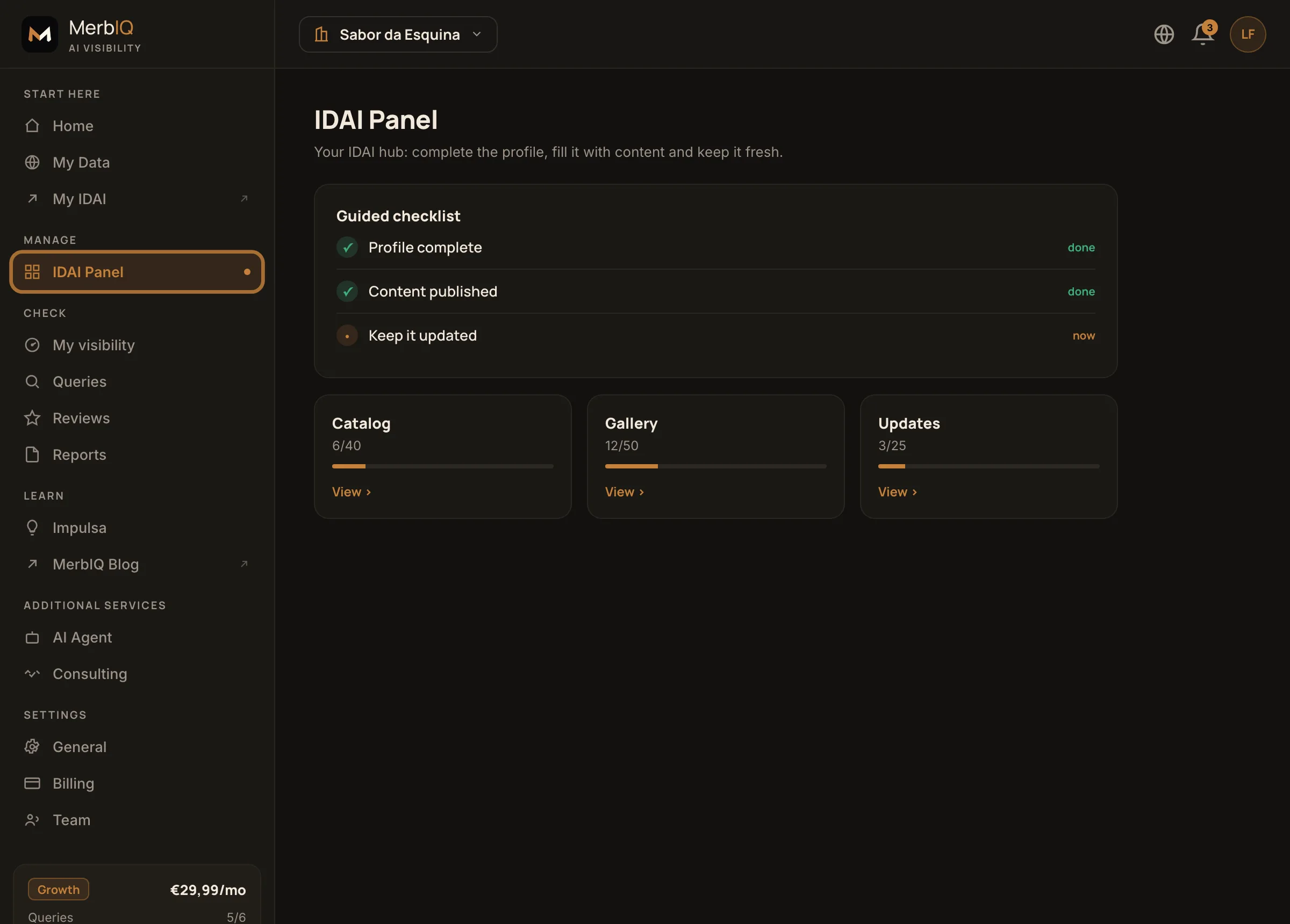
The IDAI Panel: the guided checklist and the content quotas. The IDAI Panel tab is highlighted in the menu. Product screen.
Frequently asked questions
Do I need to complete everything at once?
No. Do it in parts. The panel saves your progress and always shows the most useful next step.
Why should I always update?
A living IDAI builds more trust with people and AIs. Freshness is a signal that helps you get recommended.