Your catalogue that the AIs recommend
Your description says who you are. Your catalogue says what the AI can recommend about you, item by item. The clearer the catalogue, the better the AI knows exactly what to offer when someone asks.
The order for each item
Always the same sequence. Easy to repeat, even for someone who has never done anything online.
Write the text
The item name, price and a short description. No wall of text: just the essentials.
Use the name the way your customer asks for it: "set menu", "scissor cut", "screen replacement". If they say it that way, the AI searches for it that way too.
Improve the text with AI
Wrote it your own way? Great. The "Improve with AI" button makes the description polished and persuasive, without losing your voice. Do this before the photo.
Generate the photo with AI
Now that the title and description are ready, one click on "Generate image with AI" creates the right photo for the item, matching what you wrote. No camera, no photographer.
The AI uses your title and your description to create the image. With the text ready, it comes out much truer to the item.
Save
Done. The item goes into your public catalogue, already readable for customers and AIs. Repeat for the next ones.
Highlights: your shop window
Tap the star on up to 4 items. They rise to the "Highlights" section on your profile cover: it is your shop window, the first thing customers and AIs see without going into the whole catalogue. Use it to push your best sellers.
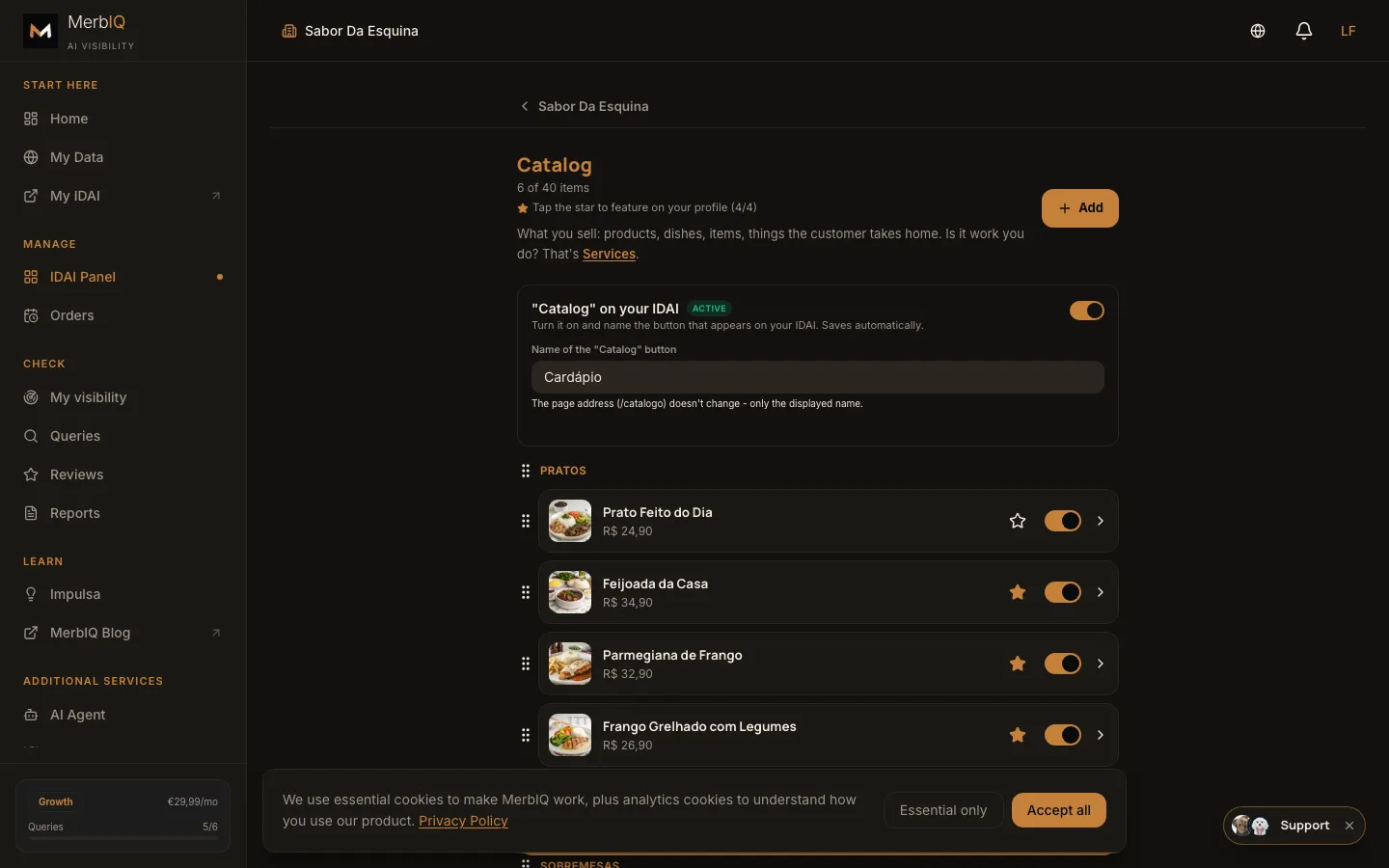
The AI does not recommend "a restaurant". It recommends "the Sunday roast, every weekend". The more specific your catalogue, the more the AI picks you over the generic. Specificity sells.
Frequently asked questions
How many items do I need to add?
Start with 3 to 5 best sellers. It already looks full and professional. You can fill in the rest whenever you want.
Do I need a professional photographer?
No. MerbIQ itself generates the photo for each item with AI, in one click. You can also upload your own real photo if you prefer.
Can I change prices and items later?
Yes, whenever you want. The catalogue is yours and you update it in seconds, without paying anyone.
Build your catalogue today
Start with your best sellers and watch the profile take shape right away.
Go to Catalogue