Updates: tell customers and AIs what is new
An update is the short note of the moment: a promo, the dish of the day, a quick heads-up. You post it in seconds and it shows on your IDAI and in the feed of the Merbers who follow you. It is the lightest way to show your business is alive.
Post an update in 3 steps
Quick to do and made for the day to day. No long article: just the note of the moment.
In Updates, click Post
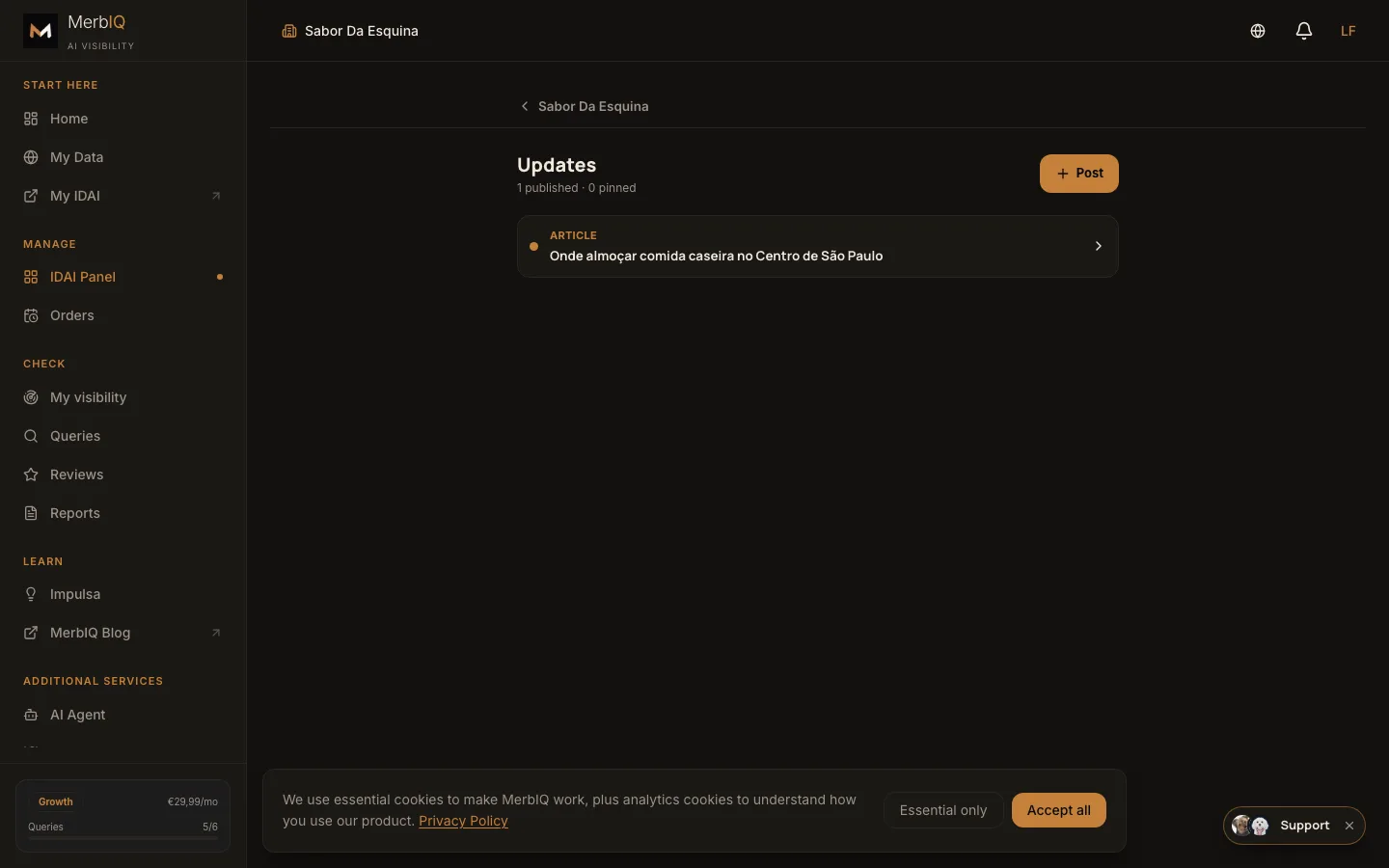
In the dashboard, open Updates and click Post to create a new note. It is the button that creates the short publication.
Write the short update
A promo, the dish of the day, special hours, a quick notice. Direct and short: whoever reads it gets what changed right away.
Publish: it shows on the IDAI and the feed
Once you publish, the update lands on your IDAI and in the feed of the Merbers who follow you. One click and the note is already going around.
The updates manager in the dashboard
This is where you publish each short note and see the ones already live. The publish button puts the update on your IDAI and the feed in seconds.
A fresh update tells the AIs and the customer that you are active. A still profile looks closed; whoever posts often shows movement, and movement is trust when it is time to recommend.
Frequently asked questions
What is the difference between blog and updates?
A blog post is an article that builds authority, with more text and made to last. An update is a short note of the moment: a promo, the dish of the day, a quick heads-up.
Who sees the update?
On your IDAI and in the feed of the Merbers who follow you. That way, whoever already follows you sees the note without opening your page.
Post an update today
One short note a week already tells the AIs and the customer that you are active.
Go to Updates