Your IDAI already gathers everything: hours, catalog, delivery, reviews. The Agent turns that data into an AI assistant that answers your customers on your page, day and night, in each person's language, without you having to be online.
How to turn on the Agent
Turn on the Agent
The Agent is an additional IDAI service. Turn it on in the panel and it comes already wired to your data.
It already knows
No training from scratch. The Agent reads your IDAI (hours, catalog, delivery, address) and answers from there.
Tune the tone and shortcuts
Set how it speaks, in your voice, and pick the quick replies: See menu, Place order, Chat on WhatsApp.
Publish it on your IDAI
The assistant bubble shows up on your page. Every chat is logged so you can see what customers ask the most.
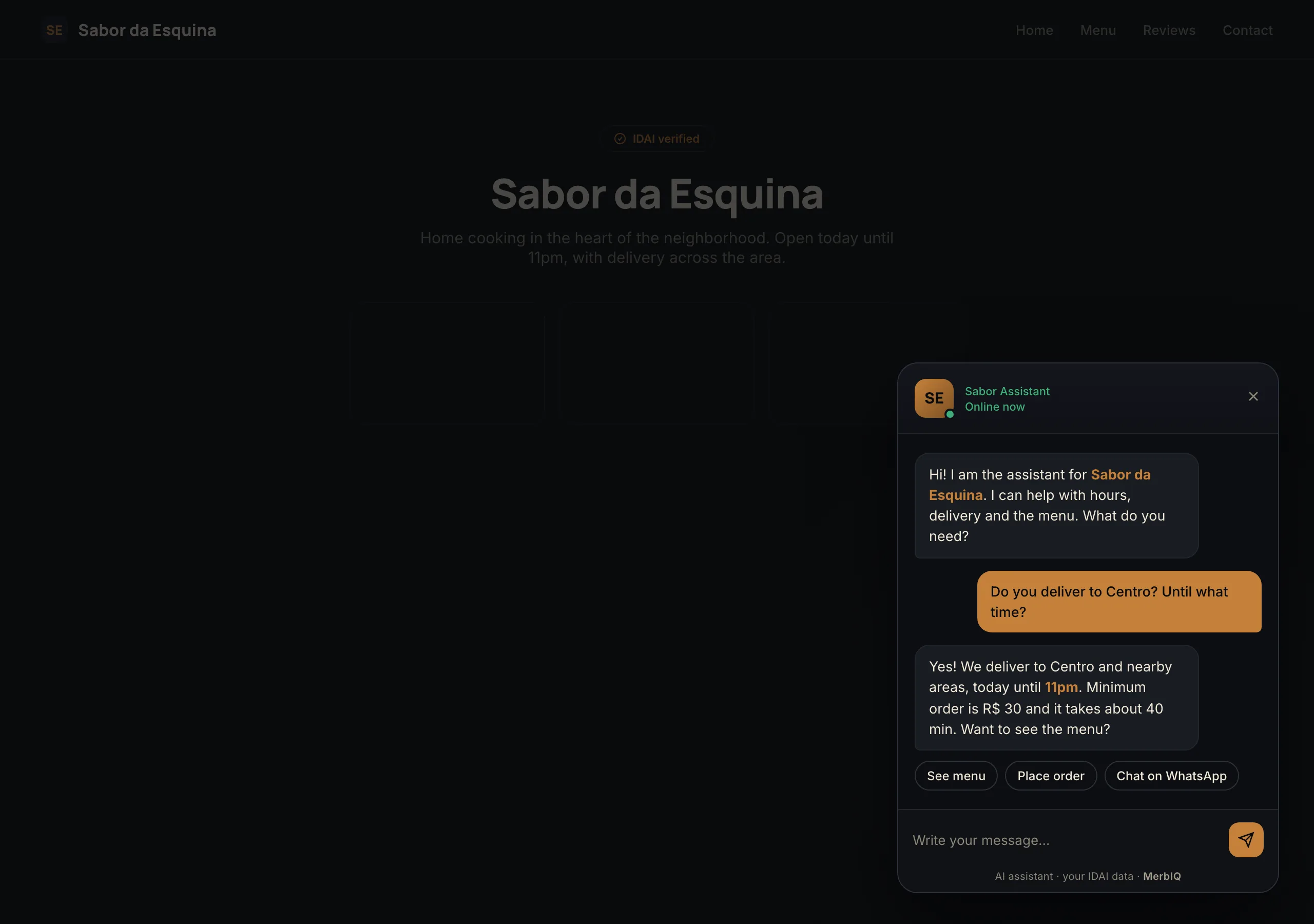
Every unanswered question is a sale that leaks away. The customer asks once; if no one answers, they go to a competitor. The Agent replies the second the doubt appears, with your voice and your data.
Frequently asked questions
Does the Agent make up answers?
No. It answers with your IDAI data. When it does not know, it says so and offers to chat with you on WhatsApp. No promises you never made.
What language does it reply in?
In the customer's language. If someone writes in another language, the Agent replies in it, with the same data.
What about privacy?
The chat carries a clear notice that it is an AI assistant and uses only what it needs to help. It is your showcase; it does not store the customer's sensitive data.
Let your IDAI answer for you
Turn on the Agent and turn your business data into 24/7 support.
Go to Agent